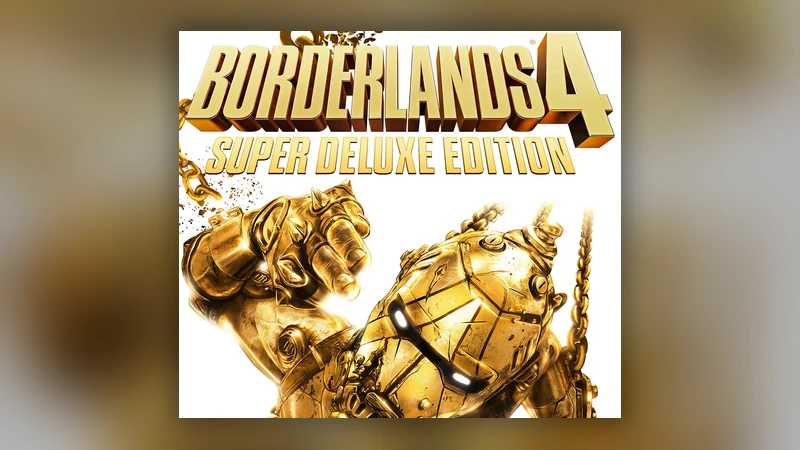
Borderlands 4 Super Deluxe Edition + Pre-Order Bonus DLC | PC Steam Key
- Steam key, activates in any region
- Instant delivery
- Pay with Bitcoin, USDT or 300+ coins, no KYC




- Platform
 Steam How to activate
- Activates in
- Global, any Steam accountCheck your Steam account country before you buy.
- Type
- Digital key
- Delivery
- Instant
Pay with BTC, ETH, USDT and 300+ other cryptocurrencies. No card, no KYC.
If the key does not activate
Write to samantha@genghis.pro with your order number and a screenshot of the error. If it does not activate because the region on this page was wrong, you get a full refund in USDT on BNB Smart Chain or Solana, USDC on Solana, or Genghis Points.
- Open the Steam app and sign in, or create a free account.
- Click Games in the top menu, then Activate a Product on Steam.
- Enter your Genghis key and confirm.
- The game is now in your library. Download it and play.
Step by step: How do I activate a Steam key bought with crypto?
Yes. This is a Global key: it works on Steam accounts in every country.
About this game
Buy 2K with Bitcoin, USDT and 300+ cryptocurrencies on Genghis. No card declines, no region-block surprises, no KYC: get your key by email and play tonight. New to this? See how it works.
★★★★★ Reviewed on Trustpilot
How to redeem
- Open the Steam client and sign in, or create a free Steam account.
- Click “Add a Game” at the bottom-left, then choose “Activate a Product on Steam”.
- Enter the Borderlands 4 Super Deluxe Edition key from your Genghis confirmation email.
- Confirm, then download and install. The Super Deluxe and pre-order bonus content unlocks in-game.
Game keys are region and brand-specific. By buying you agree to our Terms, Privacy Policy and Refund Policy.
Why buy 2K with crypto
Buy PC game keys with crypto you already hold, activate on the right platform in seconds, and skip card declines. Check the platform and region before you buy. See more game keys with crypto or all ways to buy gift cards with crypto. Learn how to buy PC game keys with crypto.