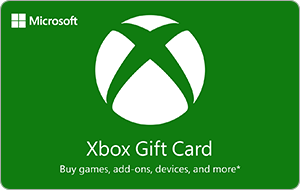
Xbox Gift Card | Ireland
- Pour les comptes Xbox d'Irlande
- Livraison immédiate
- Paiement en Bitcoin, USDT ou 300+ cryptomonnaies, sans KYC




- Plateforme
- Xbox Voir les instructions
- Région du compte
- IrlandeVérifiez le pays de votre compte Xbox avant d'acheter.
- Type
- Code de carte cadeau
- Livraison
- Immédiate
Épuisé pour le moment : aucune valeur disponible.
Recevez un e-mail au retour en stock
Un seul e-mail au retour en stock, puis plus rien. Pas de newsletter.
Payez en crypto : BTC, ETH, USDT ou une autre des plus de 300 cryptomonnaies. Ni carte ni pièce d'identité.
Si le code ne fonctionne pas
Envoyez une demande via notre Centre d'aide avec votre numéro de commande et une capture d'écran de l'erreur. Si l'activation échoue parce que notre page affichait la mauvaise région, nous vous remboursons le montant total. Le remboursement est versé en USDT sur BNB Smart Chain ou en Genghis Points.
- Allez sur redeem.microsoft.com, ou ouvrez le Microsoft Store sur votre Xbox.
- Connectez-vous avec votre compte Microsoft.
- Saisissez le code reçu chez Genghis et confirmez.
- Le jeu ou le montant est ajouté à votre compte.
Étape par étape : How do I redeem an Xbox gift card?
Seulement si votre compte Xbox est enregistré en Irlande.
À propos de cette carte
Buy Xbox with Bitcoin, USDT and 300+ cryptocurrencies on Genghis. Top up your Microsoft account for Game Pass, games and DLC, no card and no KYC. New to this? See how it works.
★★★★★ Reviewed on Trustpilot
How to redeem
- Purchase your Xbox Ireland gift card on Genghis using Bitcoin, Ethereum, USDT, or any of 300+ supported crypto tokens.
- Receive your code instantly via email and on-screen after transaction confirmation.
- Visit xbox.com/redeem or open the Xbox app on your console, phone, or PC.
- Sign in to your Microsoft account linked to your Xbox Ireland region.
- Enter the code, press Redeem, and the credit appears in your account balance immediately.
Gaming gift cards are region-specific. By buying you agree to our Terms, Privacy Policy and Refund Policy.
Why buy Xbox credit with crypto
Fund Game Pass, full games, DLC and add-ons without a bank card. Pay with crypto you already hold and redeem on xbox.com or your console in seconds. Buy the region that matches your Xbox account. See more gaming gift cards with crypto or all ways to shop the catalog with crypto. Learn buy gaming gift cards with crypto.
Frequently asked questions
What can I buy with a Xbox gift card?
Will it work for my account?
How do I redeem the code?
Can I pay with crypto?
How fast will I receive my code?
What is your refund policy?
Comment utiliser votre code Xbox
- Connectez-vous avec le compte Microsoft sur lequel vous voulez utiliser le code.
- Ouvrez la page d'utilisation des codes Xbox et saisissez le code de 25 caractères.
- Continuez et suivez les instructions.
- Sur la console : appuyez sur le bouton Xbox, ouvrez le Store, appuyez sur le bouton Affichage, puis choisissez l'option pour utiliser un code.
Certains codes ne fonctionnent que dans un pays donné. La région de votre compte Microsoft doit correspondre à l'endroit où vous vous trouvez.
Un code utilisé ne peut pas être transféré vers un autre compte Microsoft.
25 caractères, lettres et chiffres, au format XXXXX-XXXXX-XXXXX-XXXXX-XXXXX.